
Process L1 to L2b data#
This section demonstrates how to process Level 1 (L1) data into Level 2b (L2b) data using the corgidrp package. The complete test implementation can be found in the l1_to_l2b_e2e.py test file.
The pipeline processes data in two main steps: 1. L1 → L2a: Initial processing of raw data 2. L2a → L2b: Further processing of L2a data to produce the final L2b products
The focus is on explaining the key steps involved in processing data, including setting up calibration files, running the data processing pipeline, and understanding the core steps for transforming raw data into processed output. The test can be run by processing raw L1 data into L2b data using the walker.walk_corgidrp function. This function is the core of the pipeline and is responsible for the actual data processing. Here is how you can set up and run the test:
Calibration Files#
To process the L1 data, you will need several calibration files. These files are used in the calibration process to adjust the raw data accordingly. The following calibration files are required:
Detector Noise Maps: quantifies different noise sources from the sensor.
Non-Linearity: Corrects for any non-linearities in the sensor’s response.
Darks: generated from Detector Noise Maps to account for dark current in the sensor.
Flat Field: Used to correct for uneven sensitivity across the detector.
Bad Pixel Maps: Identifies pixels that are defective or not functioning properly.
Setup#
Before running the test, ensure you have the necessary datasets and calibration files. You will need:
L1 Data - Raw Level 1 data files.
Cals - Calibration files required for processing as outlined above.
The test script is written to process the L1 data, apply the calibration files, and produce the output in the L2b format.
import argparse
import os
import pytest
import numpy as np
import astropy.time as time
import astropy.io.fits as fits
import corgidrp
import corgidrp.data as data
import corgidrp.mocks as mocks
import corgidrp.walker as walker
import corgidrp.caldb as caldb
import corgidrp.detector as detector
Before processing the L1 files, the TVAC FITS headers must be standardized using the fix_headers_for_tvac function:
Helper function to standardize TVAC FITS headers for pipeline compatibility:
def fix_headers_for_tvac(list_of_fits):
    print("Fixing TVAC headers")
    for file in list_of_fits:
        fits_file = fits.open(file)
        prihdr = fits_file[0].header
        exthdr = fits_file[1].header
        prihdr['VISTYPE'] = "CGIVST_TDD_OBS"
        prihdr['OBSNUM'] = prihdr['OBSID']
        exthdr['EMGAIN_C'] = exthdr['CMDGAIN']
        exthdr['EMGAIN_A'] = -1
        exthdr['DATALVL'] = exthdr['DATA_LEVEL']
        exthdr['KGAINPAR'] = exthdr.get('KGAIN', 8.7)
        prihdr["OBSNAME"] = prihdr['OBSTYPE']
        prihdr['PHTCNT'] = "False"
        exthdr['ISPC'] = 0
        fits_file.writeto(file, overwrite=True)
This function modifies TVAC FITS headers to match the structure expected by the pipeline.
Set up directory paths for input and output data:
Note
The following calibration setup is specifically for the example TVAC test data. For real data processing, users will either:
Have downloaded pre-processed calibration FITS files that just need to be added to the caldb
Have processed the calibrations themselves locally, in which case the calibration files should already exist in their caldb (located in
~/.corgidrp/)
The code below demonstrates how we adapt the TVAC test data to fit the official corgidrp calibration format. This is not the typical workflow for real data processing. We return to the intended workflow at the start of the “Pipeline Execution” section.
e2edata_path = "/path/to/CGI_TVAC_Data"
output_path = os.getcwd()

# Paths for TVAC test data
l1_datadir = os.path.join(e2edata_path, "TV-36_Coronagraphic_Data", "L1")
processed_cal_path = os.path.join(e2edata_path, "TV-36_Coronagraphic_Data", "Cals")

# Output directories for the test
test_outputdir = os.path.join(output_path, "l1_to_l2b_output")

for d in [test_outputdir]:
    os.makedirs(d, exist_ok=True)
Define input files and prepare mock headers:
Note
The following code is specifically for converting TVAC test data into corgidrp’s expected format. This mocking process is NOT needed for real data processing, where calibration files will already be in the correct format either from download or from corgidrp’s calibration pipeline.
# Define science data files for processing
l1_data_filelist = [os.path.join(l1_datadir, f"{i}.fits") for i in [90499, 90500]]

# Create fake calibration files from TVAC data
# In real processing, these would be actual calibration files from the pipeline
mock_cal_filelist = [os.path.join(l1_datadir, f"{i}.fits") for i in [90526, 90527]]

# Modify TVAC headers to match expected format
# This step is only needed for test data, not for real observations
fix_headers_for_tvac(l1_data_filelist)
Initialize calibration database and set up mock headers:
# Mock headers and database setup - only needed for test data conversion
pri_hdr, ext_hdr = mocks.create_default_calibration_product_headers()
ext_hdr["DRPCTIME"] = time.Time.now().isot
ext_hdr['DRPVERSN'] = corgidrp.__version__
mock_input_dataset = data.Dataset(mock_cal_filelist)
this_caldb = caldb.CalDB()
Create necessary calibration products including nonlinearity and KGain
# Nonlinearity
nonlin_path = os.path.join(processed_cal_path, "nonlin_table_240322.txt")
nonlin_dat = np.genfromtxt(nonlin_path, delimiter=",")
nonlinear_cal = data.NonLinearityCalibration(nonlin_dat, pri_hdr, ext_hdr, mock_input_dataset)
nonlinear_cal.save(test_outputdir, "mock_nonlinearcal.fits")
this_caldb.create_entry(nonlinear_cal)

# KGain
kgain = data.KGain(np.array([[8.7]]), pri_hdr, ext_hdr, mock_input_dataset)
kgain.save(test_outputdir, "mock_kgain.fits")
this_caldb.create_entry(kgain)
Calibration files such as non-linearity tables, dark current, flat fields, and bad pixel maps are loaded.
def load_fits(path): return fits.open(path)[0].data

# Example TVAC test filenames - real data will use different conventions
fpn = load_fits(os.path.join(processed_cal_path, "fpn_20240322.fits"))
cic = load_fits(os.path.join(processed_cal_path, "cic_20240322.fits"))
dark = load_fits(os.path.join(processed_cal_path, "dark_current_20240322.fits"))

noise_map_dat_img = np.array([fpn, cic, dark])
noise_map_dat = np.zeros((3, detector.detector_areas['SCI']['frame_rows'], detector.detector_areas['SCI']['frame_cols']))
rows, cols, r0c0 = detector.unpack_geom('SCI', 'image')
noise_map_dat[:, r0c0[0]:r0c0[0]+rows, r0c0[1]:r0c0[1]+cols] = noise_map_dat_img

noise_map = data.DetectorNoiseMaps(noise_map_dat, pri_hdr, ext_hdr, mock_input_dataset,
                                   err=np.zeros([1] + list(noise_map_dat.shape)),
                                   dq=np.zeros(noise_map_dat.shape, dtype=int),
                                   err_hdr=fits.Header({'BUNIT': 'detected electrons'}))
noise_map.save(test_outputdir, "mock_detnoisemaps.fits")
this_caldb.create_entry(noise_map)

# Flat and bad pixel map
flat = data.FlatField(load_fits(os.path.join(processed_cal_path, "flat.fits")), pri_hdr, ext_hdr, mock_input_dataset)
flat.save(test_outputdir, "mock_flat.fits")
this_caldb.create_entry(flat)

bp = data.BadPixelMap(load_fits(os.path.join(processed_cal_path, "bad_pix.fits")), pri_hdr, ext_hdr, mock_input_dataset)
bp.save(test_outputdir, "mock_bpmap.fits")
this_caldb.create_entry(bp)
Pipeline Execution#
Execute the pipeline to process L1 data through L2b:
The walker.walk_corgidrp function is the main part of the pipeline responsible for transforming the raw L1 data into L2b data. This function applies all necessary calibration steps and generates the output files, first processing L1 to L2a data, and then L2a to L2b data.
walker.walk_corgidrp(l1_data_filelist, "", l2a_outputdir)
new_l2a_filenames = [os.path.join(l2a_outputdir, f"{i}.fits") for i in [90499, 90500]]
walker.walk_corgidrp(new_l2a_filenames, "", l2b_outputdir)
Cleanup (optional):
this_caldb.remove_entry(nonlinear_cal)
this_caldb.remove_entry(kgain)
this_caldb.remove_entry(noise_map)
this_caldb.remove_entry(flat)
this_caldb.remove_entry(bp)
Output#
Once the test has been successfully run, the results will be stored in the output directory you specified. To view and analyze the output data, you will need to use a suitable image viewer, such as SAOImageDS9.
To analyze the output FITS files:
Load your processed L2b files in DS9:
saoimageds9 90500.fitsQuick analysis steps:
Press ‘s’ for scale menu (zscale recommended)
Press ‘c’ for colormap options (heat shows features well)
Use Analysis -> Statistics to verify calibration values
For more information on using DS9, including detailed tutorials on viewing and manipulating FITS images, check the official DS9 documentation
Here is an example of the output:
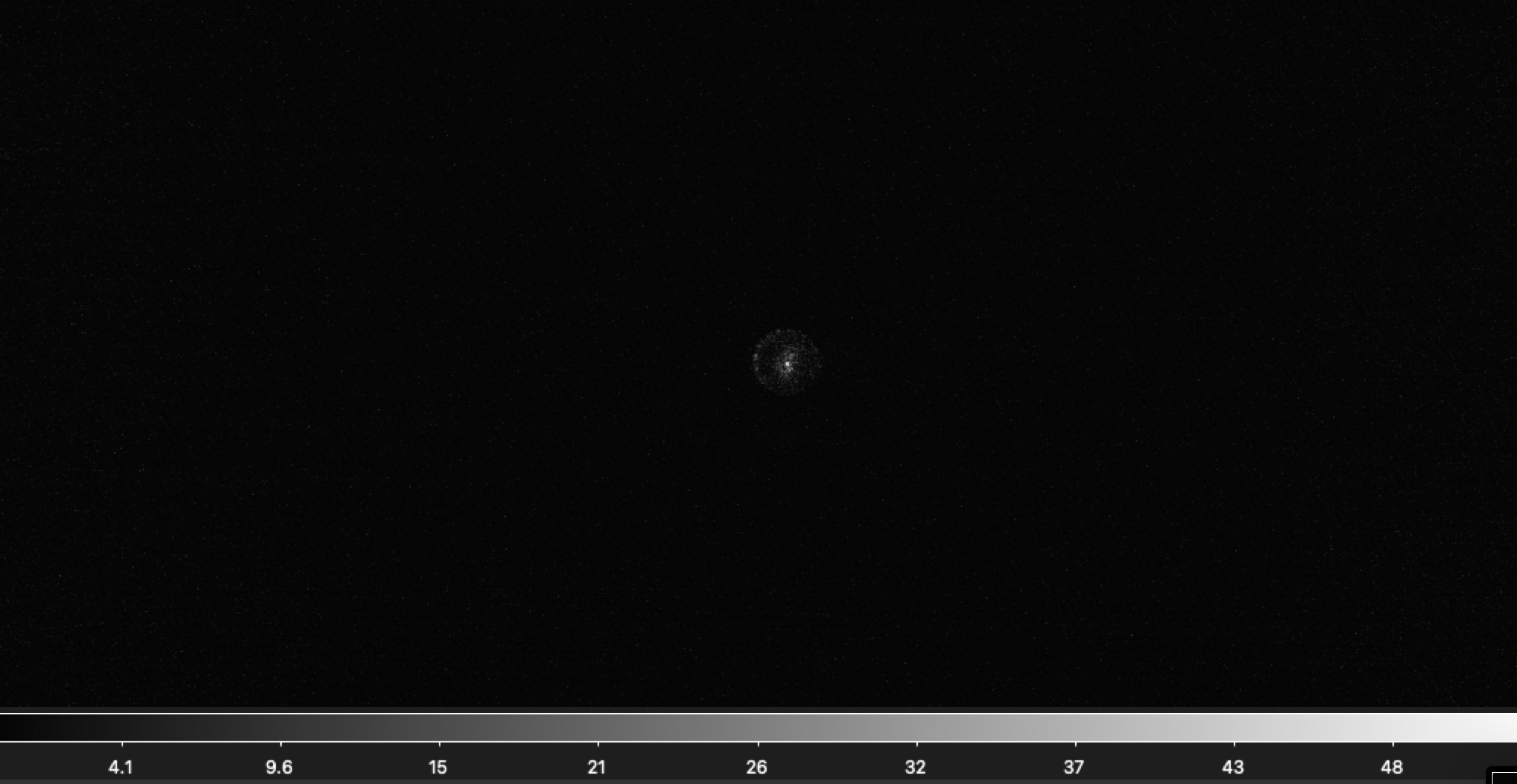
Sample L2b processed image “90500.fits”#